Many hyperlinks are disabled.
Use anonymous login
to enable hyperlinks.
Overview
| Artifact ID: | 86e47dd2bfb4d9fc0bb4dccad1917687613f7d45 |
|---|---|
| Page Name: | tuscany |
| Date: | 2017-06-18 00:11:17 |
| Original User: | sandro |
| Next | c66b5cb6bc7260c8c51e8e4bdfae510d10ba5105 |
Content
Back to main Wiki page
Creating the tuscany.sqlite sample database
This quick tutorial explains by practical step by step examples how the tuscany.sqlite sample database was actually created.It's mainly intended for didactic purposes: you are expected to replicate all single steps, and at the end of the process you'll surely master the new tools and wizards supported by spatialite_gui 2.1.0.
All Vector and Raster Coverages will be based on Tuscany Open Data datasets.
- ambiti_amministativi: a collection of administative boundaries datasers (Vector).
- grafo stradale Iter.Net: roads and railways (we'll use the railways only).
- Morfologia - dtmoro: a DTM (Raster).
- WMS - Web Map Services published by Tuscany Region ( GEOscopio WMS)
Step #1: populating the database by importing input Shapefiles
| This one is a pure SQL task, and we'll assume that you should be already well accustomed to this. |
SELECT ImportShp('C:\vanuatu\toscana\ambiti_amministrativi\am_reg_region_am_reg', 'regione', 'CP1252', 3003);
SELECT ImportShp('C:\vanuatu\toscana\ambiti_amministrativi\am_prov_multipart', 'province', 'CP1252', 3003);
SELECT ImportShp('C:\vanuatu\toscana\ambiti_amministrativi\am_com_multipart', 'comuni', 'CP1252', 3003);
SELECT ImportShp('C:\vanuatu\toscana\Iternet\shp\\elem_ferr', 'elem_ferr', 'CP1252', 3003);
|
| Now a Spatial View will be created and properly registered. |
CREATE INDEX idx_codprov ON province (substr(codprov, 3));

CREATE VIEW municipalities AS
SELECT c.pk_uid AS rowid, c.nome AS municipality,
c.codcom AS census_code, c.codcatasto AS cadastral_code,
p.nome AS province, p.sigla AS car_plate,
c.geometry AS geom
FROM comuni AS c
JOIN province AS p ON (substr(p.codprov, 3) = c.codprov)

INSERT INTO views_geometry_columns
VALUES ('municipalities', 'geom', 'rowid', 'comuni', 'geometry', 1);
|
|
The tuscany.sqlite sample contains a meainingless mixed Geometry Types Spatial Table just intended for testing purposes. You can easily create by yourself something similar, so just very skeletical directions will be supplied here. Please check the SQL Snippets on the side. |
CREATE TABLE mixed_geom_types (
    id INTEGER PRIMARY KEY AUTOINCREMENT,
    class TEXT NOT NULL,
    nome TEXT NOT NULL);

SELECT AddGeometryColumn('mixed_geom_types', 'geom', 3003,
'GEOMETRY', 'XY');

INSERT INTO mixed_geom_types (id, class, nome, geom)
SELECT NULL, 'Points', name, point_geom
FROM point_table;

INSERT INTO mixed_geom_types (id, class, nome, geom)
SELECT NULL, 'Linestrins', name, linestring_geom
FROM linstring_table;

INSERT INTO mixed_geom_types (id, class, nome, geom)
SELECT NULL, 'Polygons', name, polygon_geom
FROM polygon_table;
|
Step #2: creating Vector Coverages based on Spatial Tables and Spatial Views.
| Spatial Tables declaring a GEOMETRYCOLLECTION or GEOMETRY Type aren't considered at all exceptional in SpatiaLite. You just have to create a Vector Coverages as you've already seen in the previous tutorial about natural_earth.sqlite. |
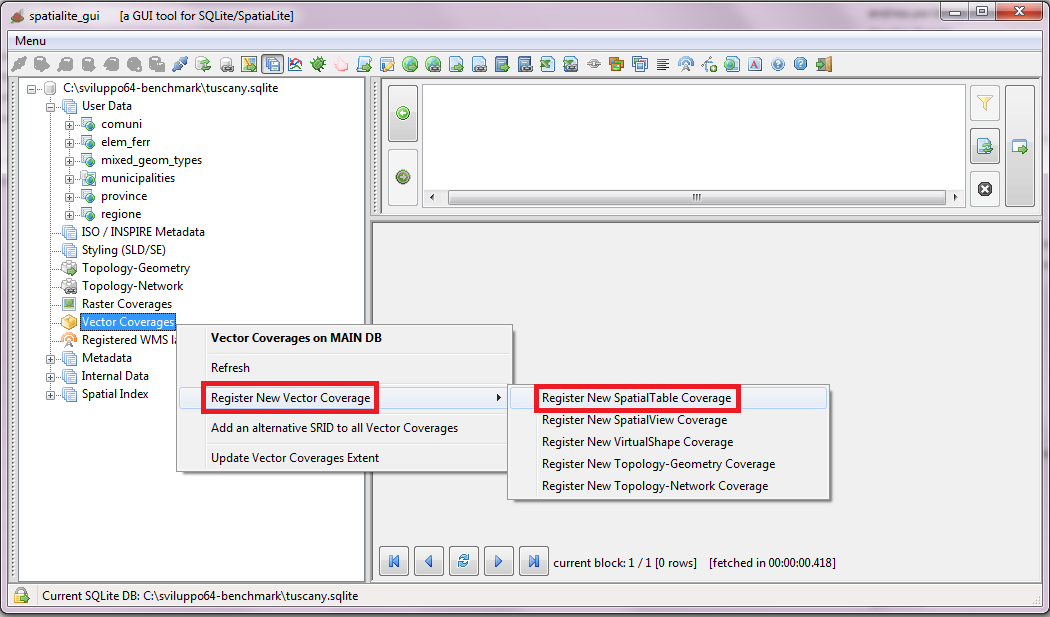 |
| Just select a Spatial Table from the list, then fill all dialog fields and finally confirm. | 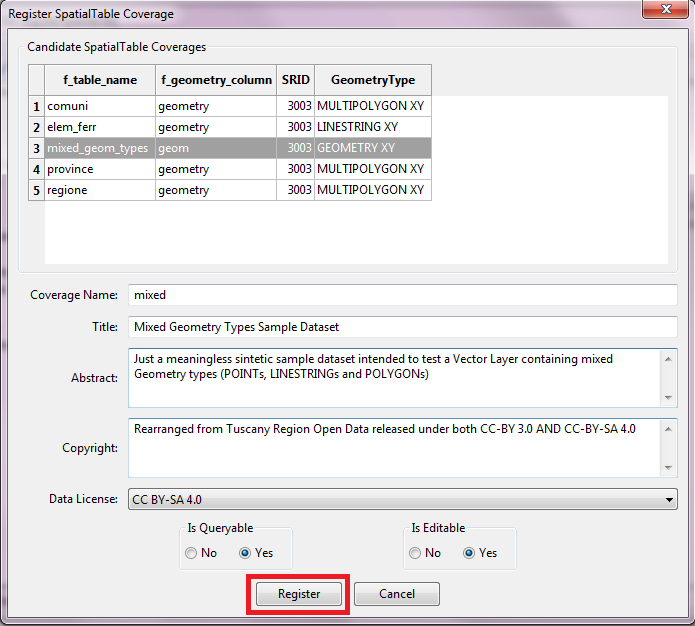 |
| Registering a Vector Coverage based on some Spatial View is more or less the same: you just have to select a different tool from the menu. | 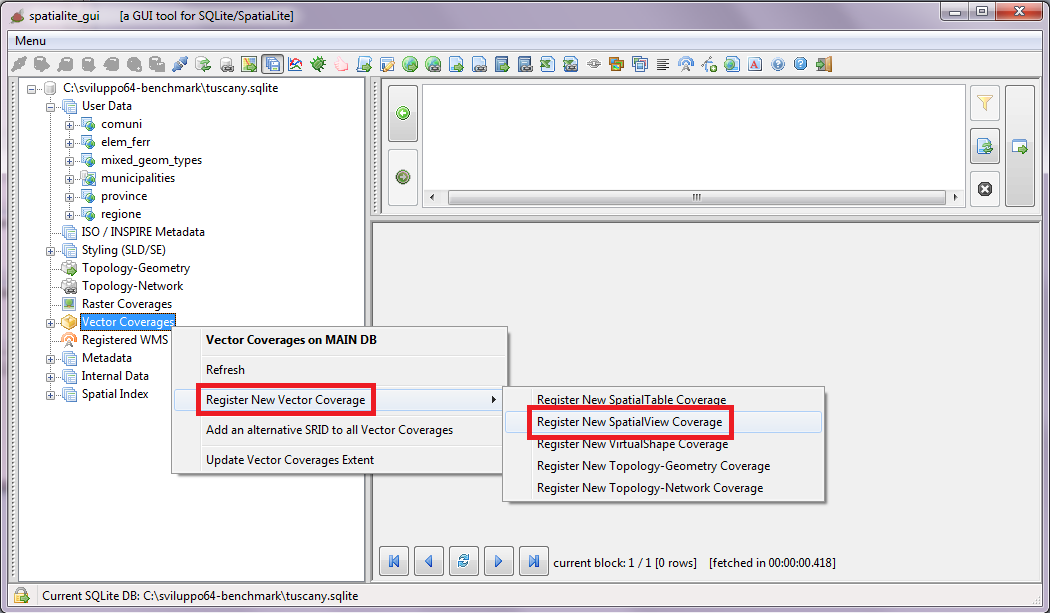 |
| Just select a Spatial Table from the list, then fill all dialog fields and finally confirm. | 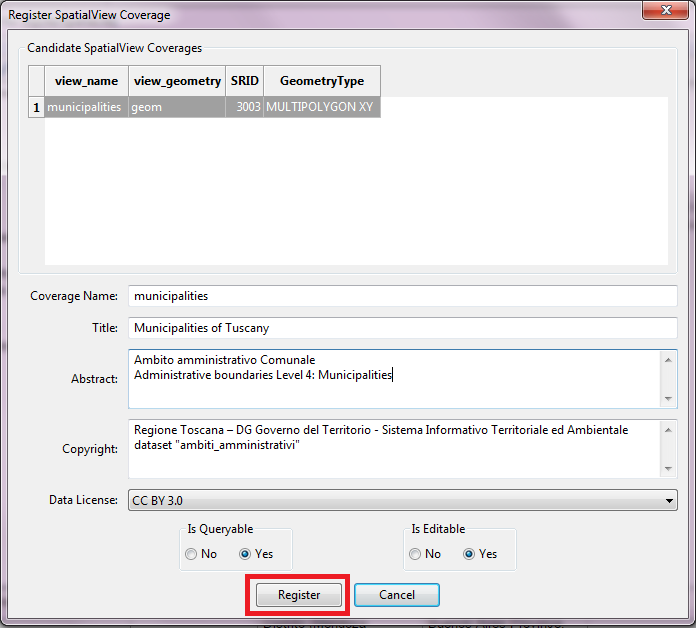 |
| SpatiaLite possess the capability to reproject on-the-fly a Vector Coverage, but you have to declare in advance all the supported SRIDs. When you have to configure several strictly related Vector Coverages it could be simpler and easier configuring all Coverages in a single final pass. |
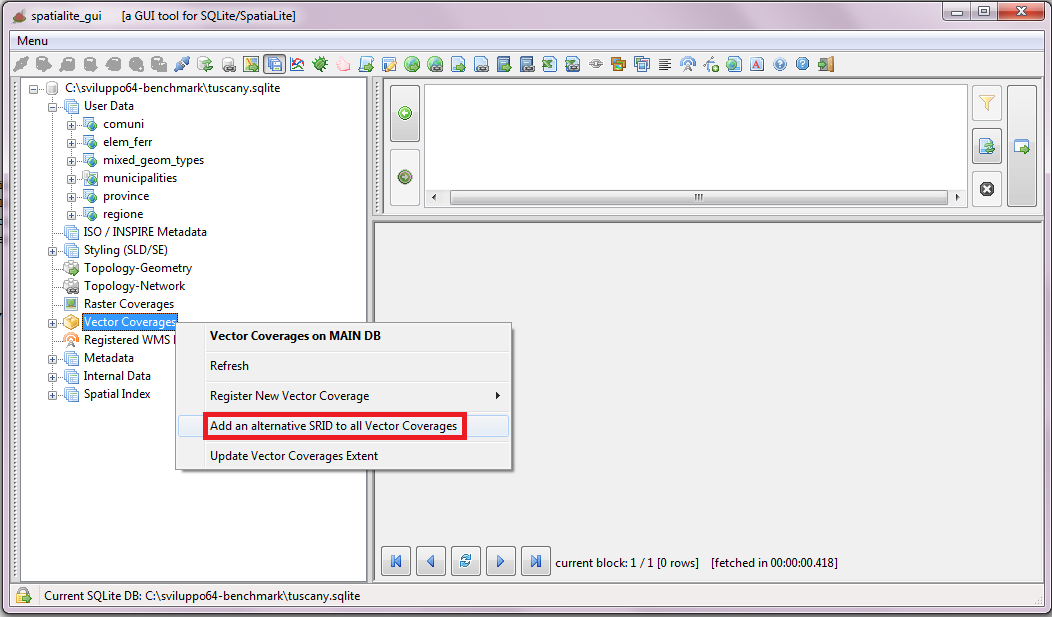 |
| You can add just a single SRID at each time, but you can easily recicle on the same step until all SRIDs have been added. | 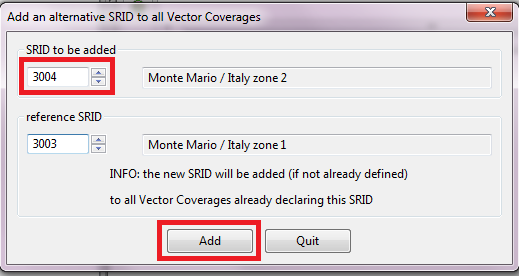 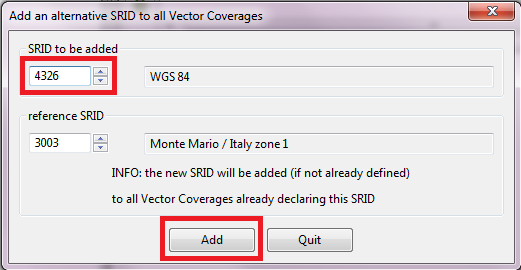
|
| Alternatively you can add or delete the associated SRIDs just for a single Vector Coverage. | 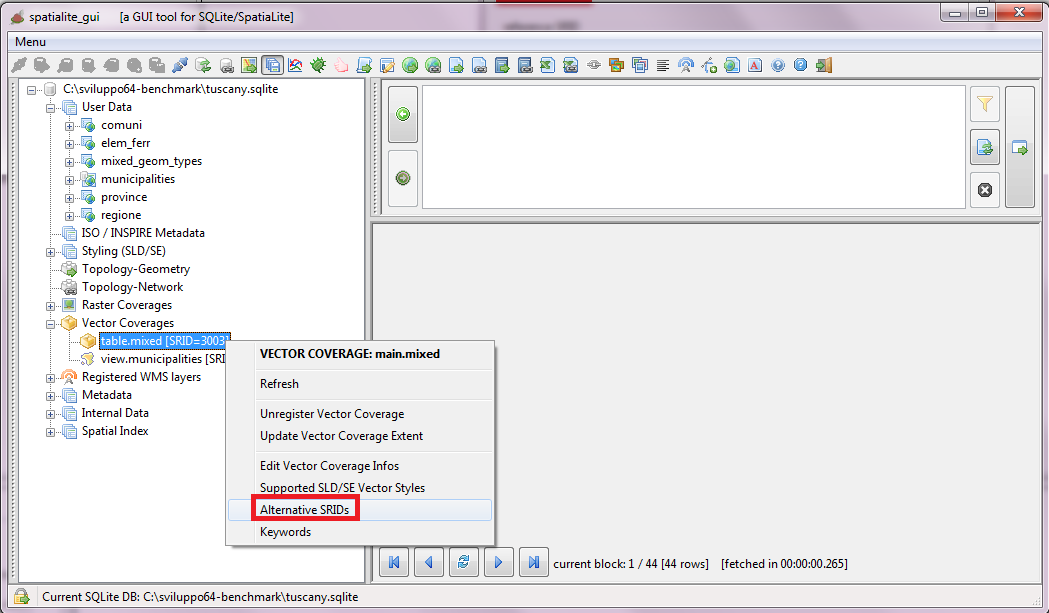 |
| Just use the dialog shown on the side in order to add or remove SRID definitions. | 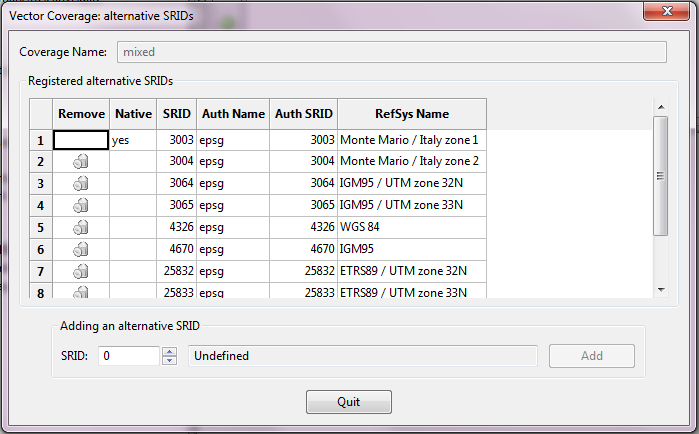 |
| Remember: you always have to update the Extents every time that you'll add a new Vector Coverare or that you'll change its associated SRIDs. | 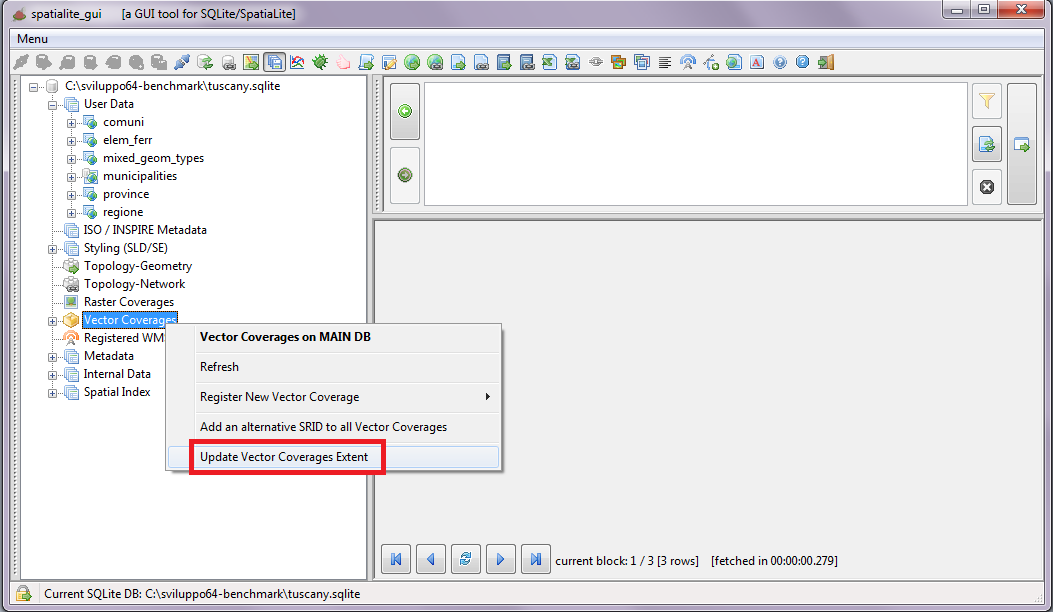 |
Back to main Wiki page